Safari
 Mail
 Messages
 Notes
 Preview
Articles & links
Extract headings, clean text, featured images, author details, dates, and source URLs — or save an instant bookmark.
Send articles, links, images, screenshots, email files, and contacts to the Notion page or database you choose. Save directly, or use reusable Forms when you want every property mapped automatically.
Built into the Mac workflows you already use
Save directly when you want speed. Use a Form when you want repeatable structure.
Sign in with Notion. NotionShare gets access to the pages and databases you choose — nothing more.
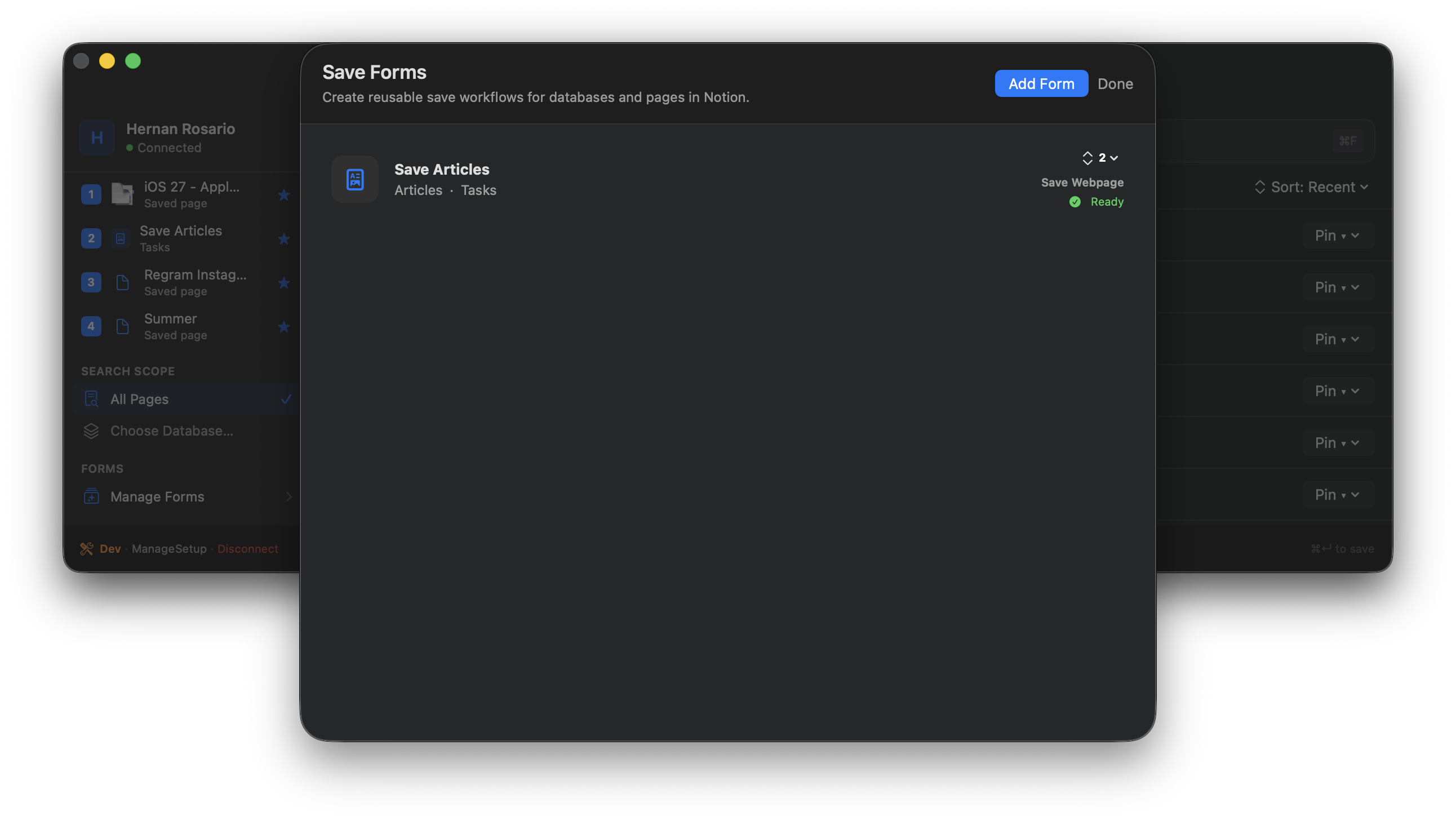
Pick any accessible page or database, or create a Form that maps extracted content into the right properties.
Use the Share Sheet for links and images, or drop saved .eml, .emlx, and .vcf files into NotionShare.
NotionShare understands the content macOS apps hand it, then gives you a clear destination and save workflow.
Use direct saving for a quick page or database entry. When consistency matters, Pro Save Forms suggest compatible properties and remember the mapping.
Extract headings, clean text, featured images, author details, dates, and source URLs — or save an instant bookmark.
Share from Finder, Preview, or CleanShot X and save the file into a Notion page or compatible database property.
Drop saved .eml or .emlx files to capture subject, sender, address, date, and message body.
Drop .vcf files to extract names, email addresses, phone numbers, addresses, companies, notes, and profile URLs.
Keep the source URL, title, description, creator details, and preview image in a reusable workflow.
Match only the fields you care about. NotionShare ranks compatible database properties and explains what may be missing.
Fast for one-off saves, precise for the workflows you repeat every day.
The macOS Share Sheet puts NotionShare one click away in Safari, Chrome, Reeder, Finder, Preview, CleanShot X, and other apps that support sharing. Keyboard shortcuts make Quick Access destinations immediate.
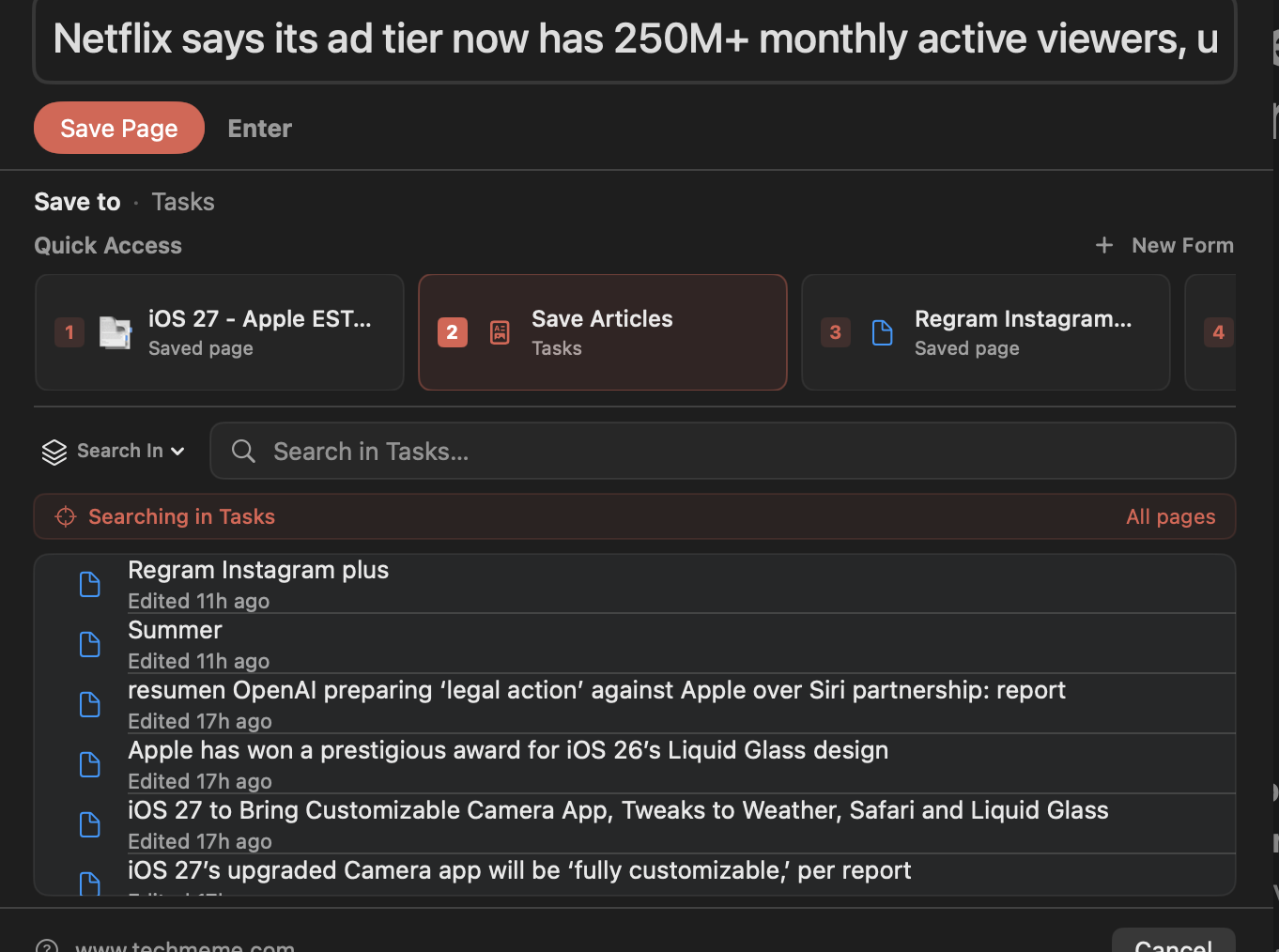
Pin pages, databases, or Save Forms as numbered slots. Free includes 2 Quick Access destinations; Pro expands the workspace to 6.
Extracts headings, paragraphs, inline images, and metadata automatically. Everything lands in Notion structured and clean — including author, publish date, and reading time.
Reusable workflows for articles, links, email files, contacts, screenshots, social posts, videos, recipes, and custom content. Map only the fields you need, then pin the Form for one-tap reuse.
Need to save fast? Bookmark mode skips extraction and saves just the title and URL — instantly, with zero wait. The Quick Access slot always shows the current save mode so context is clear.
Search all your Notion pages and databases directly from the share sheet. Use the "Search In" scope filter to narrow results to a specific database — and a persistent scope chip always shows where you're searching.
Duplicate URL detection warns you before saving the same article twice. Your last-used destination is ready next time, slow providers time out cleanly, and actionable errors explain what needs attention.
Start free forever. Try one Save Form for 3 days, then unlock every Pro workflow with one purchase.
Forever free · No credit card
One-time purchase · No subscription · Free updates
Secure checkout via Gumroad · Instant delivery
Everything you need to know.
Free saves articles, links, images, email files, and contacts directly to accessible Notion pages or databases. It includes full article extraction, search, duplicate detection, and 2 Quick Access slots. Pro expands Quick Access to 6 slots and unlocks reusable Save Forms, property mapping, the Menu Bar item, and usage stats.
Save Forms are optional, reusable workflows tied to a Notion database. Choose a template for articles, links, screenshots, email, contacts, social posts, videos, recipes, or custom content. NotionShare suggests compatible properties, lets you remove fields you do not need, and remembers the mapping for future saves.
macOS 14 Sonoma and later on Apple silicon Macs.
You'll receive a license key by email. Open NotionShare, click "Upgrade to Pro" in the bottom-left, and paste your key.
Yes — any page or database granted to the Notion connection. You control that access in Notion and can change it later.
Save a Mail message as an .eml or .emlx file, or export a contact as .vcf, then drop the file into the open NotionShare window or onto its Dock icon. Live Mail messages do not provide a file URL when dragged directly to the Dock, so save the message file first.
NotionShare is signed with an Apple Developer ID and notarized by Apple. It checks the official update manifest when the app opens and periodically while running, verifies the update checksum and code signature, then replaces the installed app only after macOS accepts it.
Full refund within 7 days if it doesn't work on your Mac. Email hernan078@gmail.com.
The free plan has no time limit. Your 3-day Forms trial begins when you first choose to try a Form, not when you install the app. You can create one Form during the trial. If you do not upgrade, it stays visible but locked and can be removed from Quick Access.
Start free. Save the web, images, email files, and contacts without leaving your Mac workflow.
macOS 14+ · Apple silicon · Signed & Apple notarized